> ## Documentation Index
> Fetch the complete documentation index at: https://docs.starai.pro/llms.txt
> Use this file to discover all available pages before exploring further.
# List your Creation
> Learn how to list your AI-generated creations on the StarAI AI Marketplace — where creators can publish, showcase, and monetize AI assets including images, videos, tools, and agents.
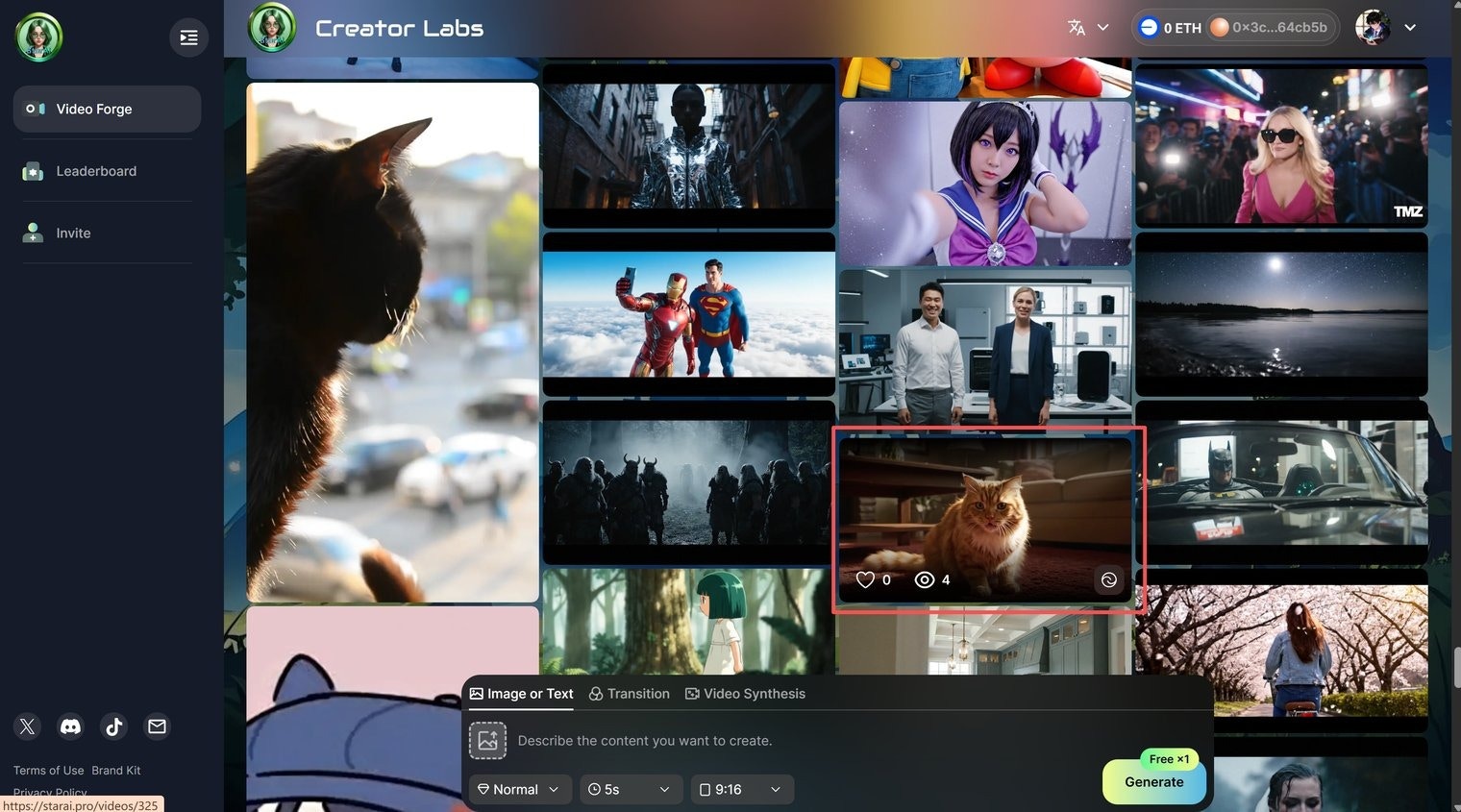
### **1. Go to My Video**
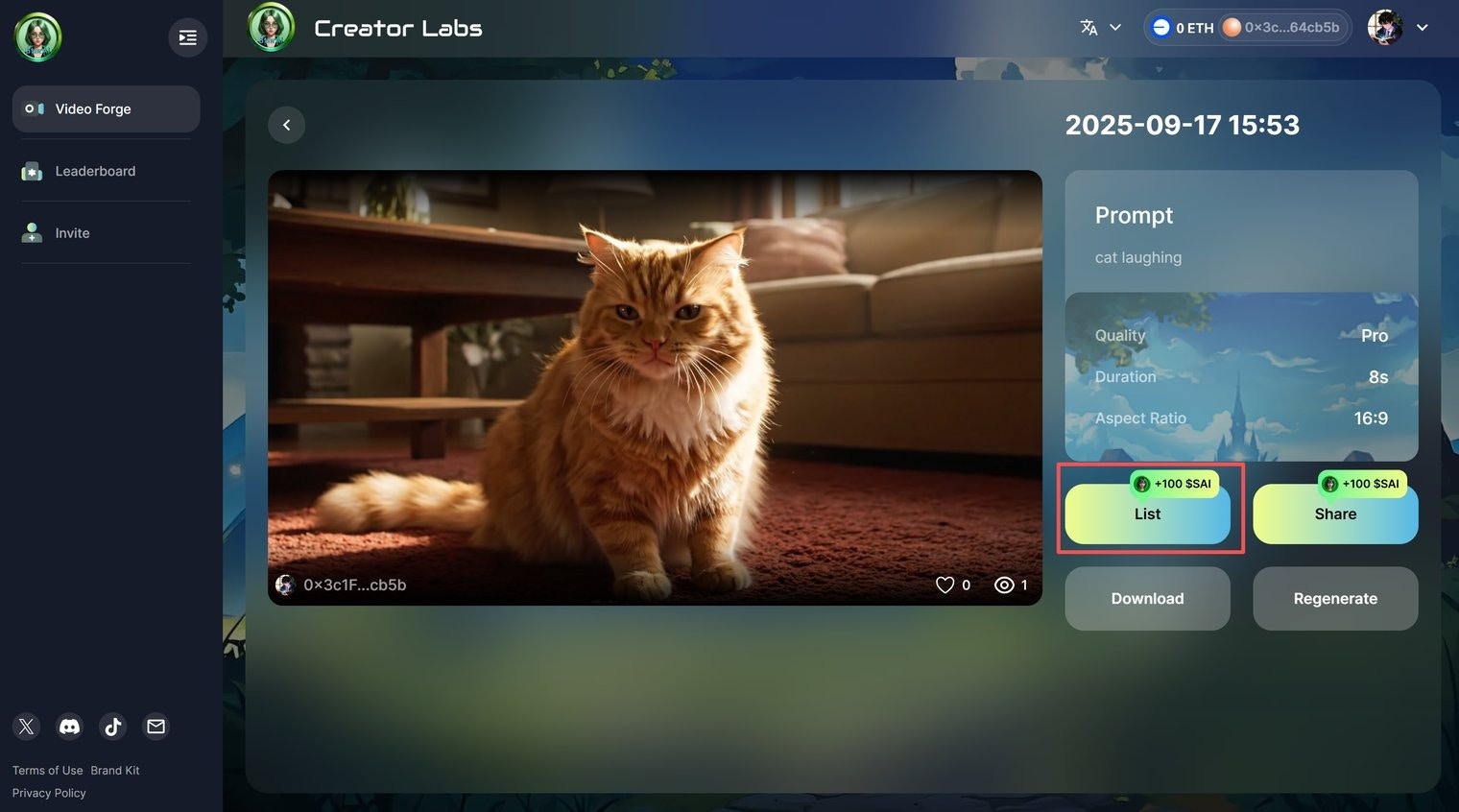
Select the video you want to list, open the video details page, and click **List**.
 ### **2. Set your price**
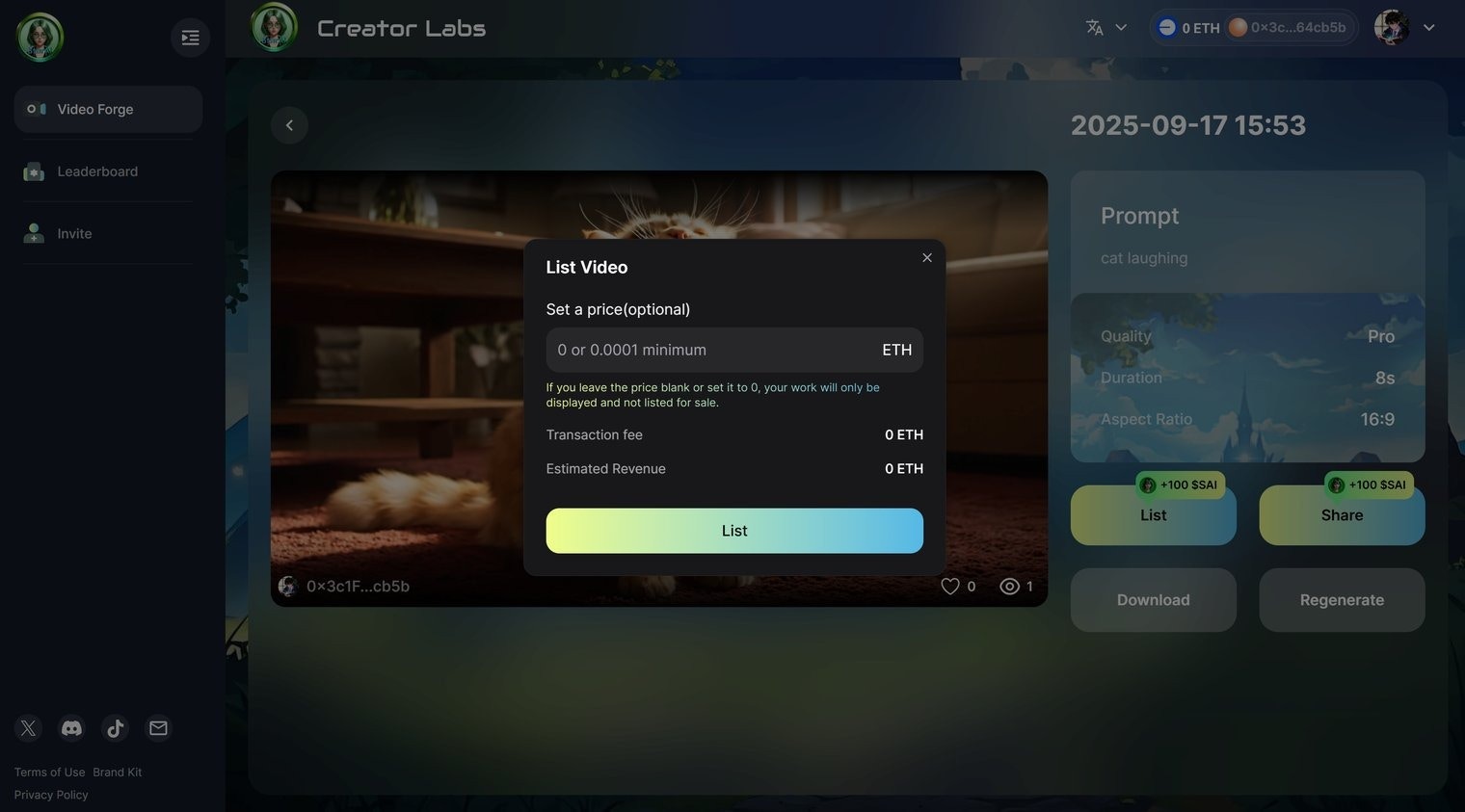
Enter the price you want to list your video for. The minimum listing price is **0.0001 ETH**.
### **2. Set your price**
Enter the price you want to list your video for. The minimum listing price is **0.0001 ETH**.
 ### **3. Display only option**
If you don’t set a price (or set it to 0), your video will only be displayed on the Marketplace but **cannot be traded**.
### **3. Display only option**
If you don’t set a price (or set it to 0), your video will only be displayed on the Marketplace but **cannot be traded**.